Skip to content

Mythical Reports

In Automation We Trust

Menu
  • Case Studies
  • Our Services
  • About Us
  • Contact Us
  • Newsletter
  • Blog
  • Privacy Policy

Month: April 2020

Scheduler
BigQuery / BigQuery Uploader for Google Sheets

How to Setup Scheduled Uploads

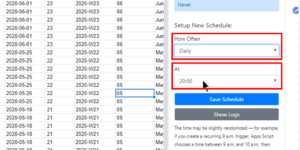
Once you define your upload definitions, you may want to schedule your uploads so you don’t have to upload your tables manually. First of all, you need to enter the …
Thumbnail Picture
BigQuery / BigQuery Uploader for Google Sheets / Google Sheets

How to Set United States Locale in Google Sheets

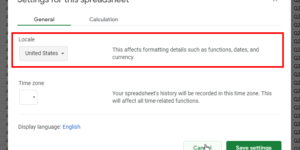
If you are not based in the United States, you should set your spreadsheet to “United States” locale before you run your first upload with BigQuery Uploader for Google Sheets. …
Upload Config
BigQuery / BigQuery Uploader for Google Sheets

How to Run Your First Upload

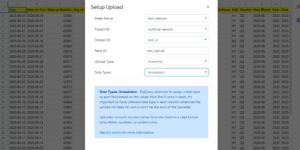
Making the first step is always the hardest part of the job. That’s why we have prepared this tutorial to help you out. Follow these 5 easy steps. Step 1: …
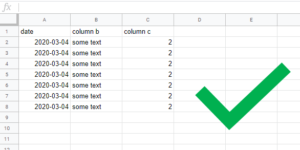
Table Structure 1
BigQuery / BigQuery Uploader for Google Sheets

Supported Table Structures

We believe there needs to be a clarity on what structures of tables you can actually push to BigQuery. This article shows several examples of tables which would successfully be …

Service Spreadsheet Failed
BigQuery / BigQuery Uploader for Google Sheets

Exception: Service Spreadsheets Failed While Accessing Document

If you are getting a message like this: Exception: Service Spreadsheets failed while accessing document with id {some id}, the problem is likely the sheer size of your spreadsheet. During the …

All Columns as STRING
BigQuery / BigQuery Uploader for Google Sheets / Data Types

Data Types: All Columns as STRING

If your data is messy (=multiple data types appearing within 1 column) and you want to make sure that everything will be successfully uploaded to BigQuery, you should use “All …

Manual
BigQuery / BigQuery Uploader for Google Sheets / Data Types

Data Types: Manual

If you want to retain control over data types for each column in your table, you can use Manual option in the Data Types dropdown. The down side is that …

Autodetect
BigQuery / BigQuery Uploader for Google Sheets / Data Types

Data Types: Autodetect

If you are lazy person like us, you will likely want to use Autodetect option for detecting the data types: This is a very helpful option when your table has …

BigQuery / BigQuery Uploader for Google Sheets

How to Set Datetime Column to YYYY-MM-DD HH:MM:SS Format?

If your table has a datetime column and you are using either Manual or Autodetect option for upload, it’s important to make sure your column is formatted properly because BigQuery …

Help Button Only
BigQuery Uploader for Google Sheets

I Only See Help Button

On rare occasions, it may happen, that you only see “Help” button in the add-on menu and no other items: How to get around it? Unfortunately, you have to uninstall …

Posts navigation

Older posts

Recent Posts

  • Different Users with Different BigQuery Rights Saving the Schedule
  • How to Run Your First Query
  • Understanding the Target Cell Configuration
  • 1000 Row Batch Inserts
  • Known Limitations of BigQuery Downloader for Sheets

Recent Comments

  • admin on Download Our FREE Google BigQuery Uploader for Google Sheets Add-On!
  • E.H.Bent on Download Our FREE Google BigQuery Uploader for Google Sheets Add-On!
  • Spark9026 on Exception: Service Spreadsheets Failed While Accessing Document
  • admin on Add-on Is Sometimes Behaving Oddly
  • Max on Add-on Is Sometimes Behaving Oddly

Archives

  • December 2021
  • March 2021
  • August 2020
  • June 2020
  • May 2020
  • April 2020
  • May 2019
  • February 2019
  • December 2018
  • October 2018

Categories

  • BigQuery
  • BigQuery Downloader for Sheets
  • BigQuery Uploader for Google Sheets
  • Data Types
  • Excel
  • Google Sheets
  • Power BI
  • Random

Meta

  • Log in
  • Entries feed
  • Comments feed
  • WordPress.org
Copyright © 2026 Mythical Reports – OnePress theme by FameThemes